
CHRISPS Design · Software · Cambridge, Ontario
VenueOS is event and venue management that runs on your own computer, iPhone and iPad. Inquiries, proposals, floor plans, run of show, guests, kitchen and payments live in one app. No accounts, no servers, and it keeps working without signal.
Windows · Mac desktop app
iPhone · iPad same data through iCloud Drive
0 accounts or servers
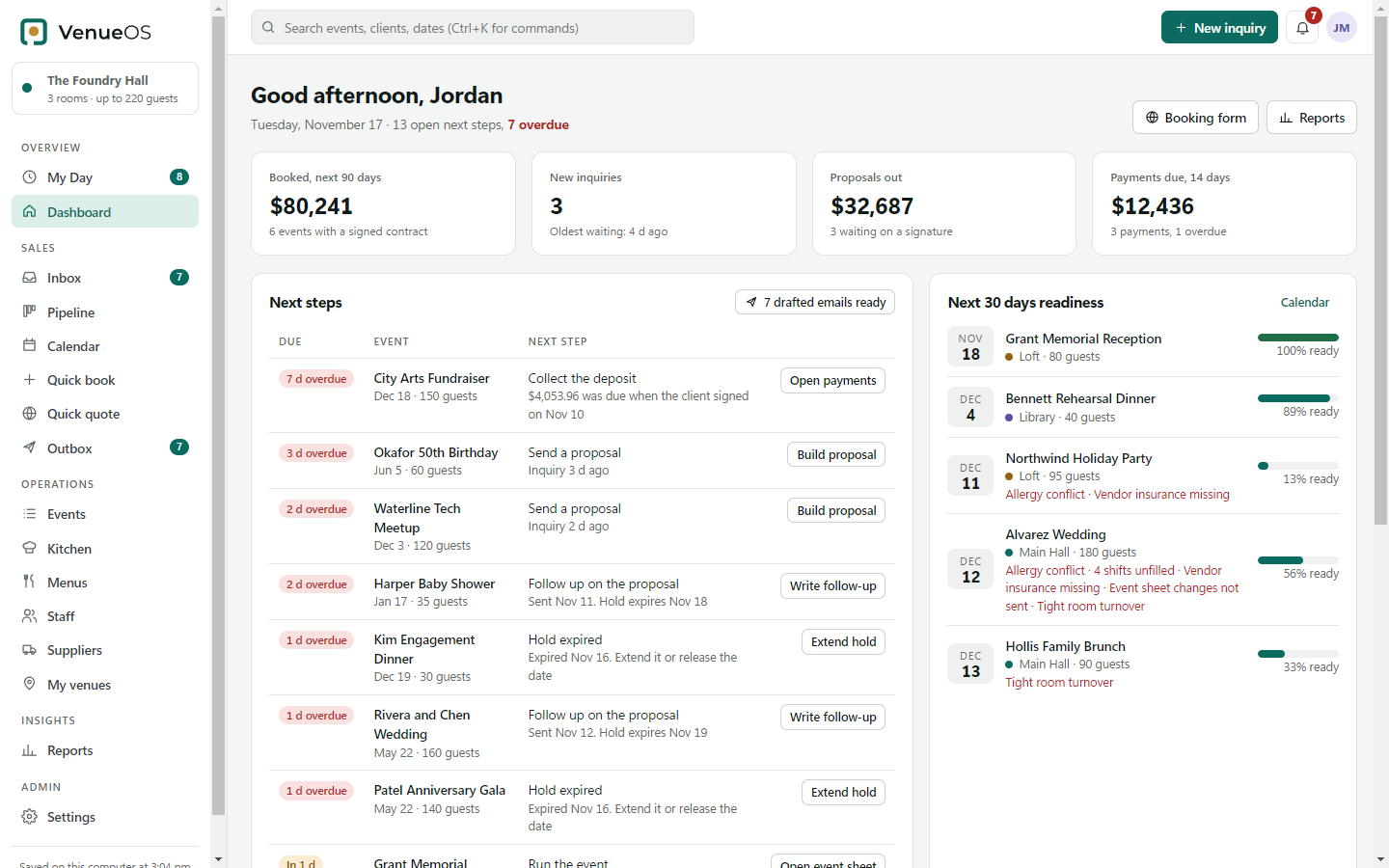
The dashboard: what is booked, what is waiting on the client, and what needs doing next.
What it does
Sales
Leads from WeddingWire, The Knot, Zola, Instagram and your website form are read from your own inbox and turned into events, with the date, guests and budget filled in.
Paperwork
Proposals, agreements signed on screen, invoices and payment schedules as PDFs. Follow-ups and payment reminders are drafted and wait in the Outbox for one click.
Rooms
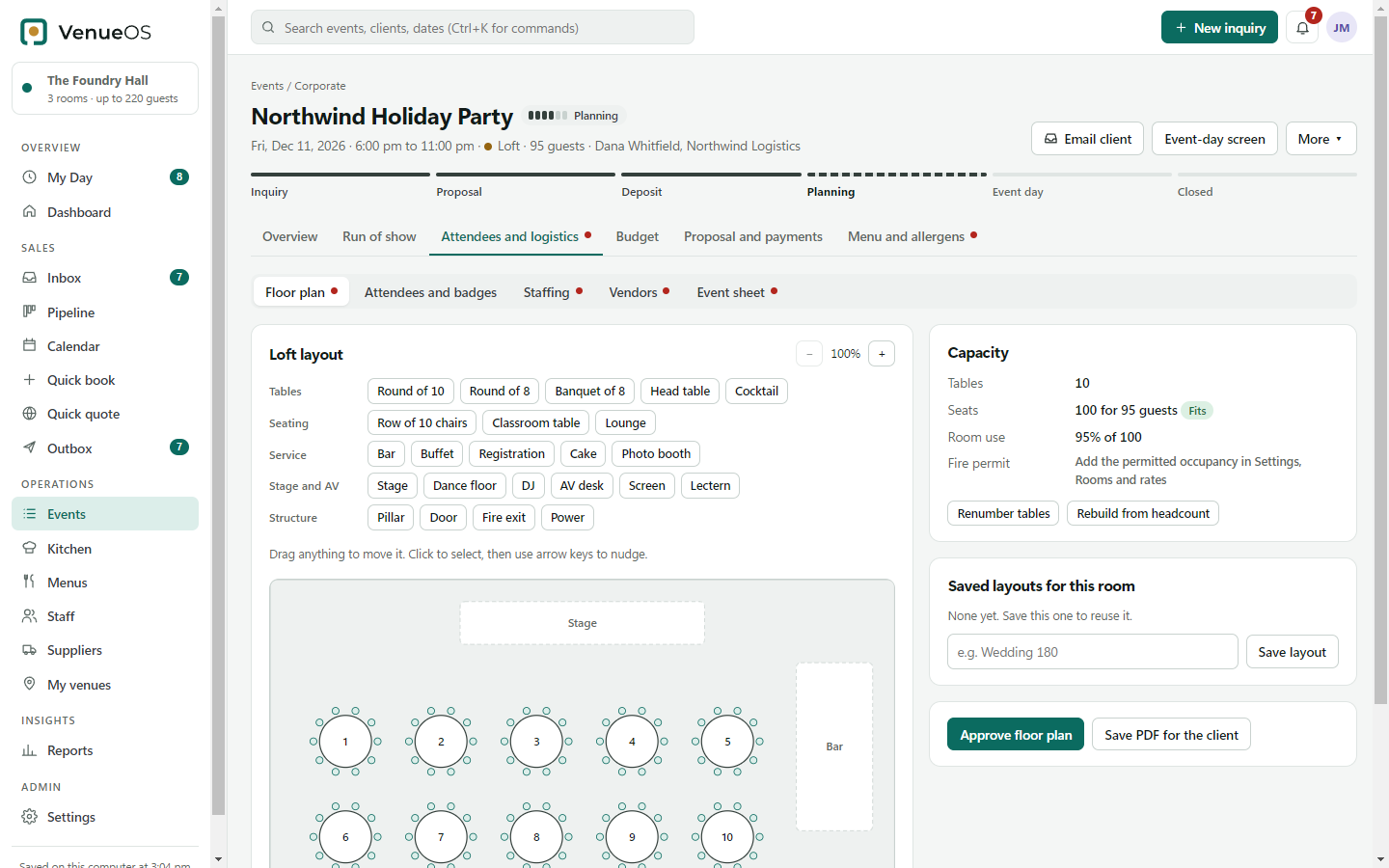
Drag tables, bars, stages and dance floors onto the venue's own plan. Seat guests, then print seating charts, place cards and name badges.
Event day
Change a time and only the suppliers it affects get the new run sheet and a calendar file. Plan B for weather, sunset times and a running-late button.
Kitchen
Packages, a dish library and allergen tags, mustard and sulphites included. Conflicts are flagged, and the kitchen gets its sheet when the final guarantee locks.
Canada and the US
GST, HST, PST and QST by province, CAD or USD amounts, Canadian holidays on the calendar, and anti-spam (CASL) consent with unsubscribe handling.
Inside VenueOS
Real screens from VenueOS, from the first email to the run of show.
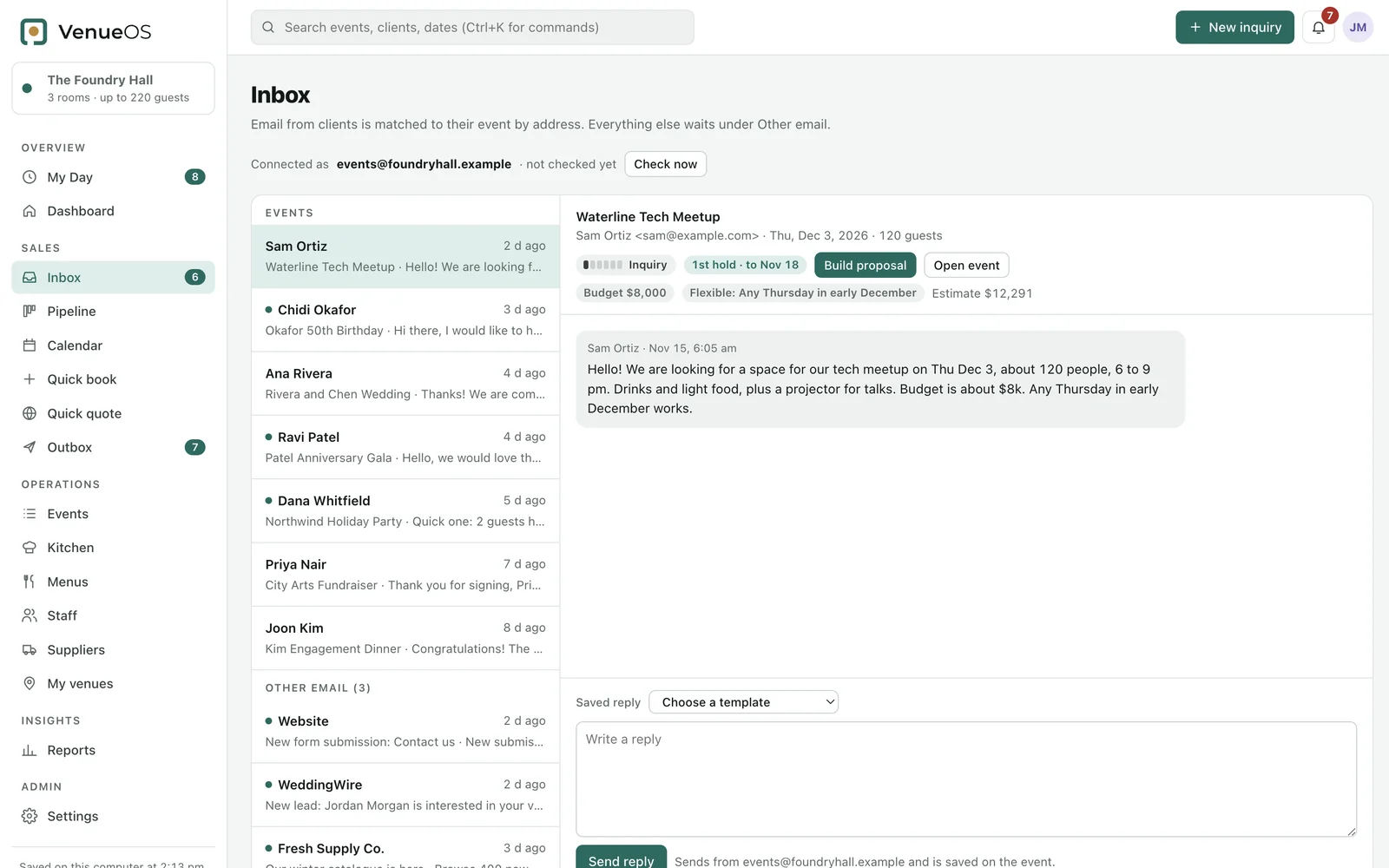
01 · Inquiries
Date, guests and budget are read straight from the email, and the inquiry becomes an event.
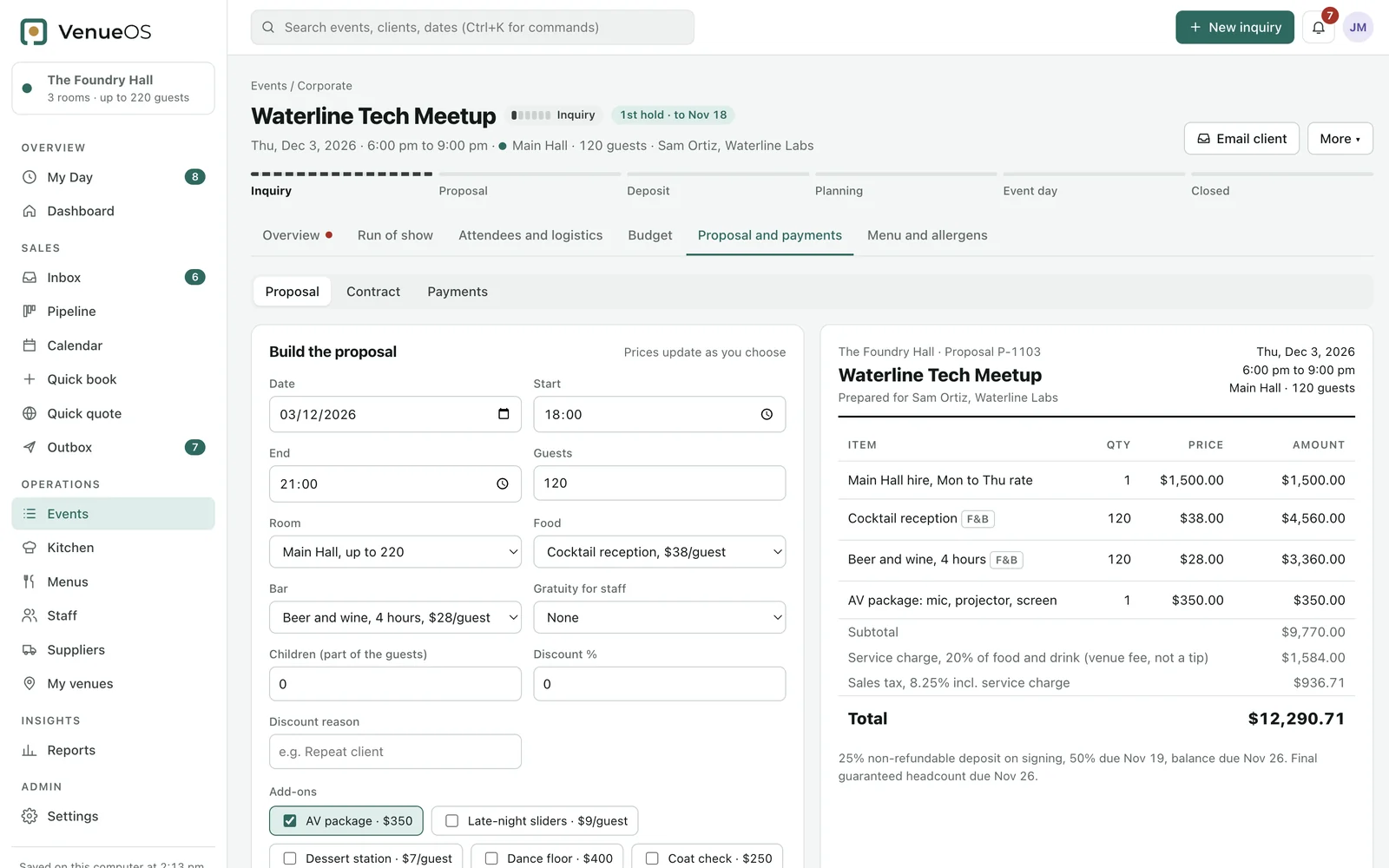
02 · Proposals
Service charge and tax, worked out as you choose.
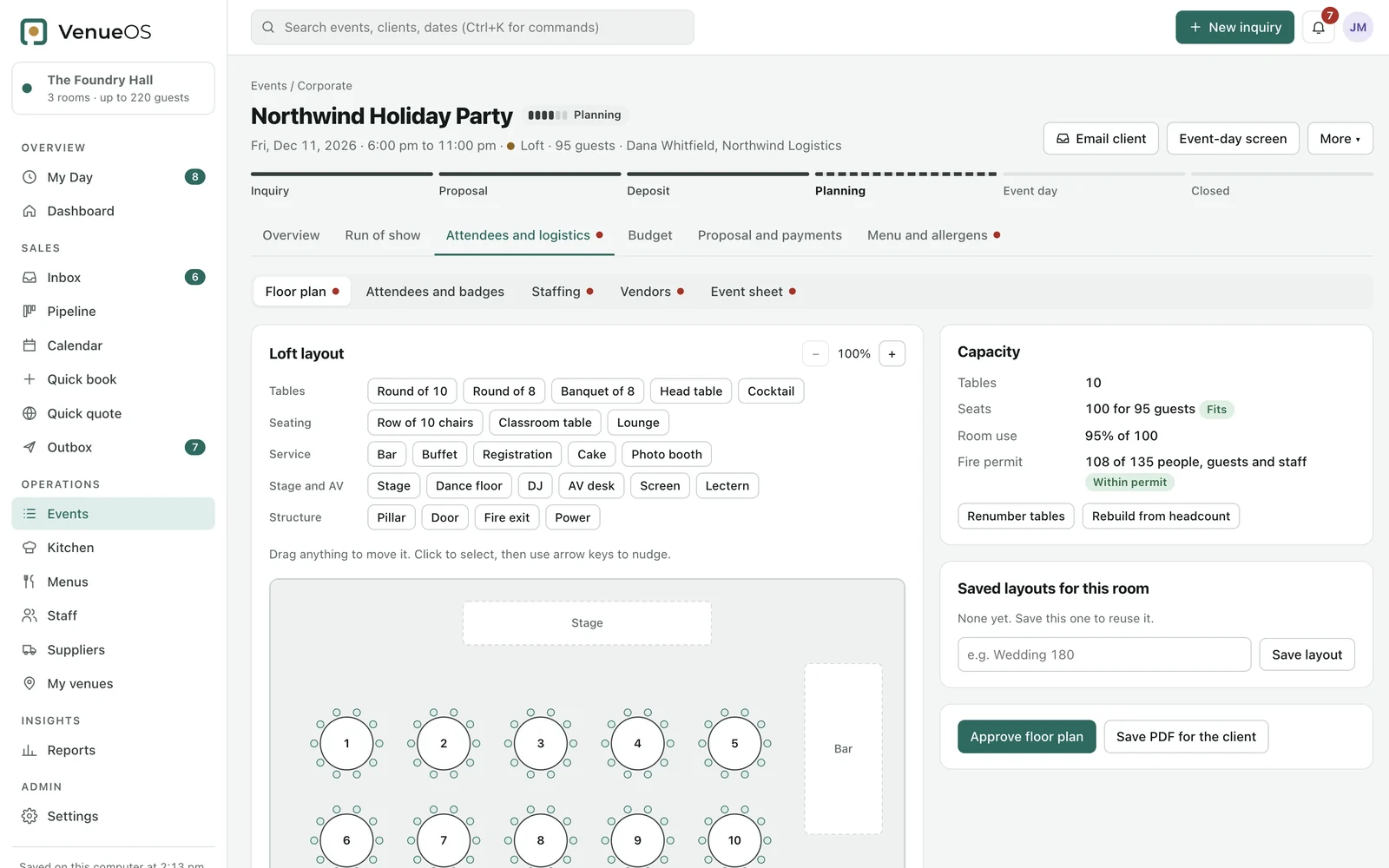
03 · Floor plans
Seats, guests and staff checked against the fire permit.
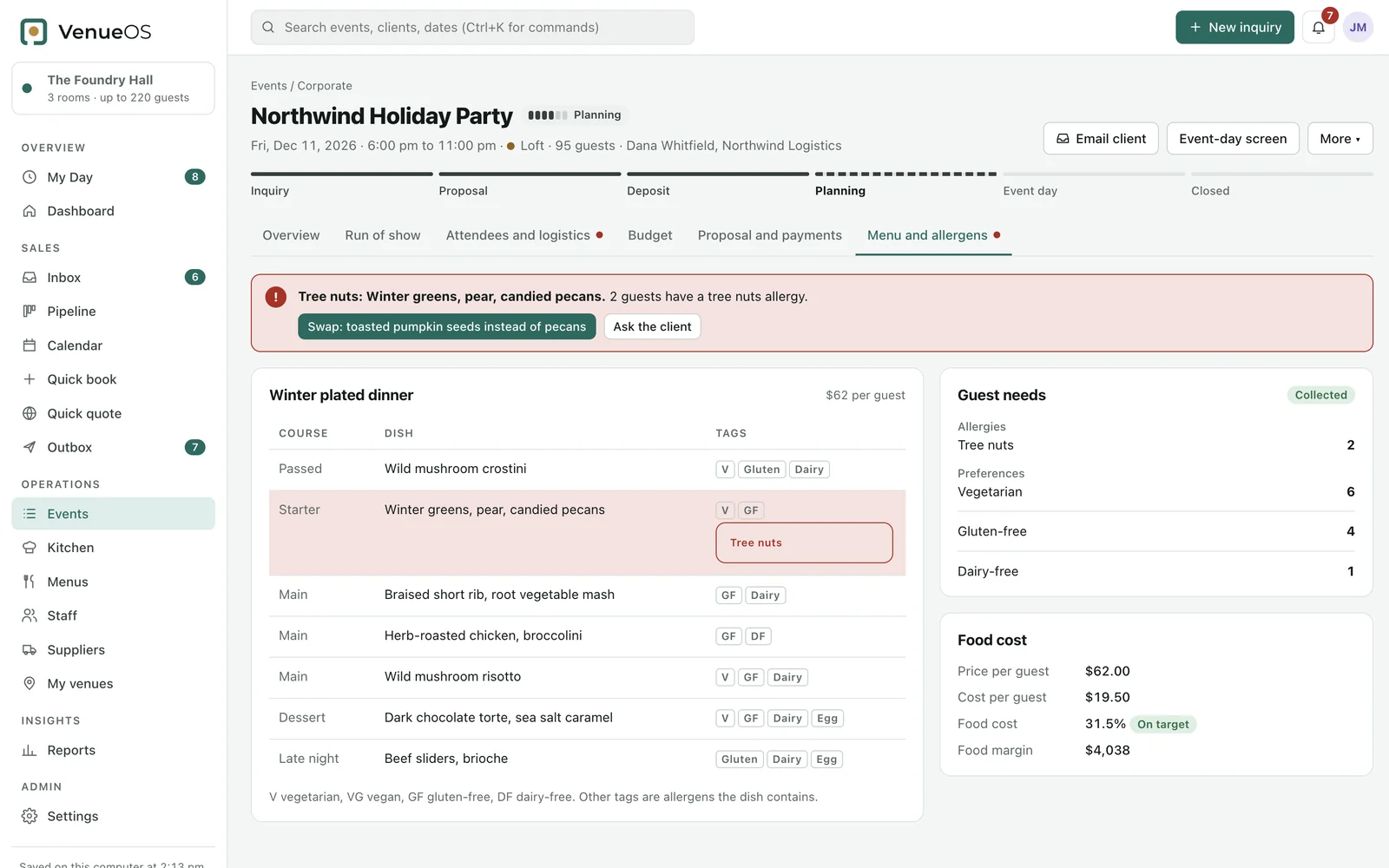
04 · Menus
Every guest's allergies matched to every dish, with a safe swap ready to send.
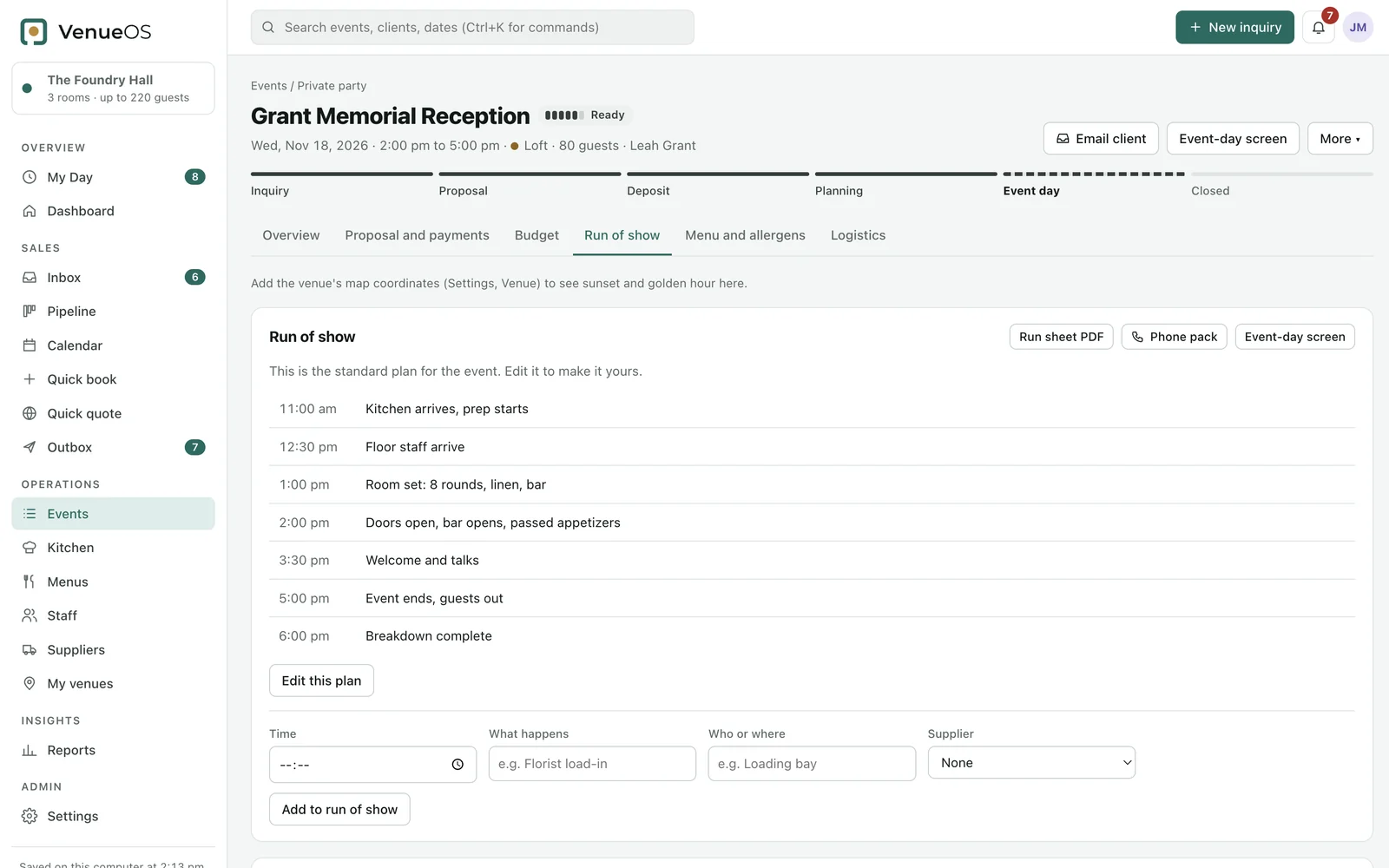
05 · Event day
PDF or phone pack. Plan B is one tap away.
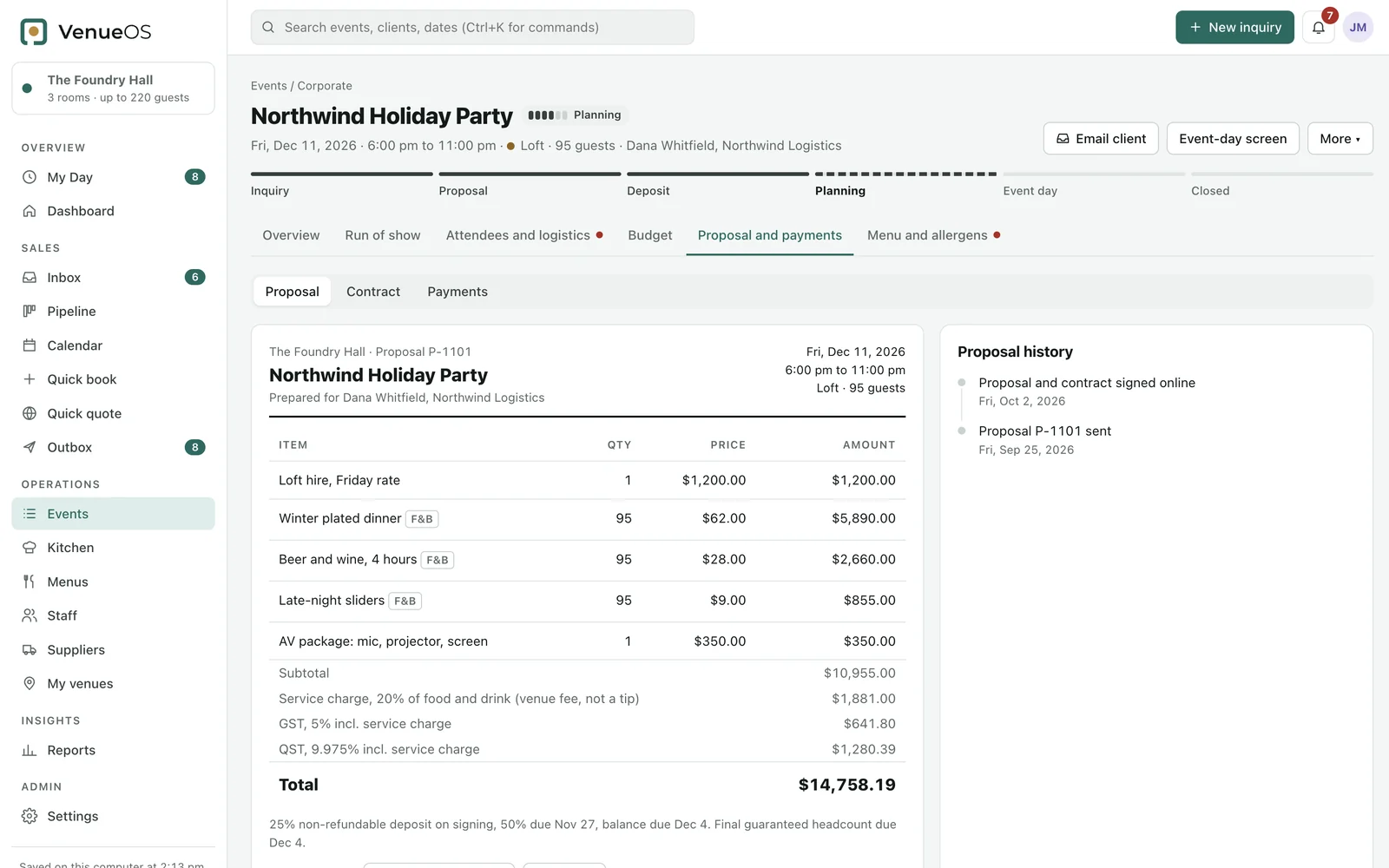
06 · Made for Canada
Provincial tax, holidays and anti-spam consent, built in.
Floor planning
Upload the venue's plan, set its real size and lay out tables and service points to scale. Seats are checked against the room's permitted occupancy, and saved layouts come back for the next event in the same room.
My Day
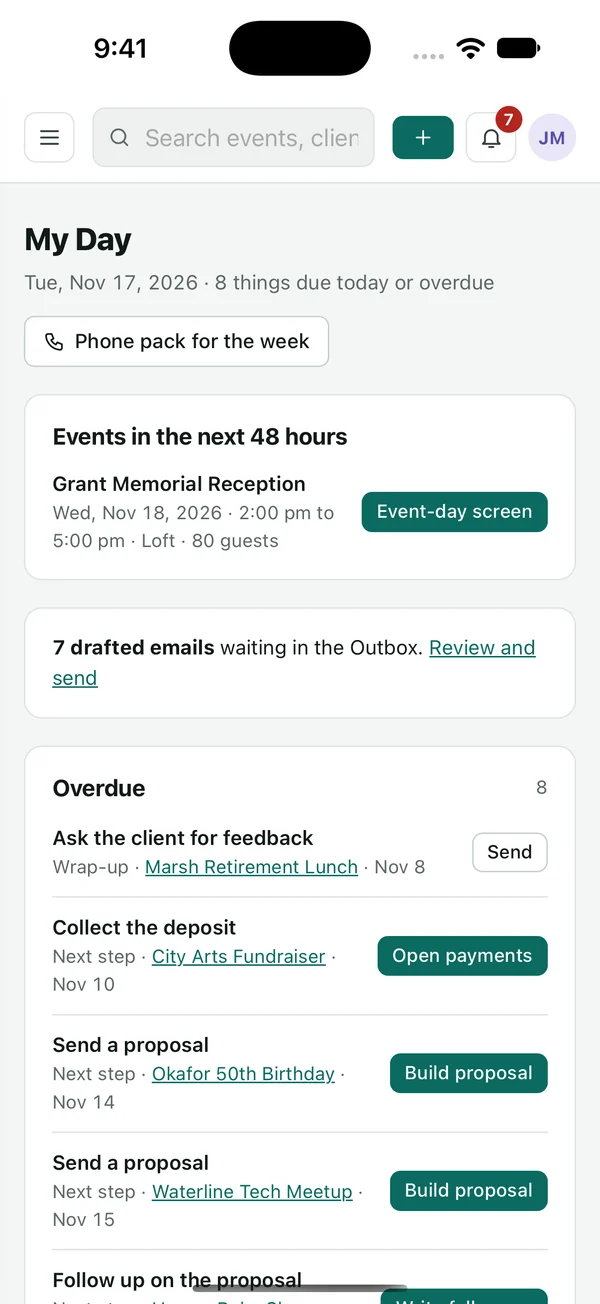
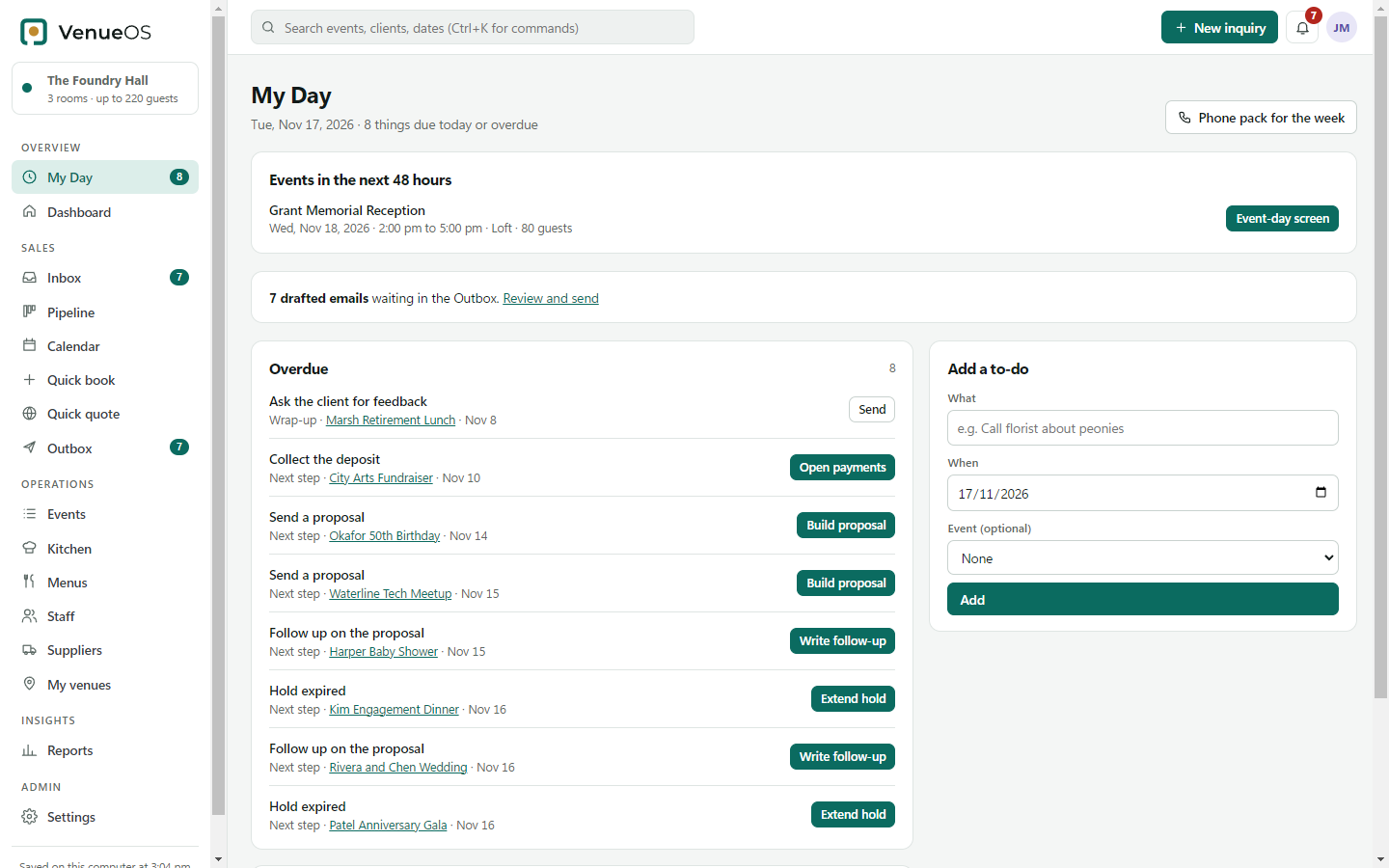
One list of what is due today or overdue, from deposits to final headcounts, with the button that does it next to each item. A phone pack puts the week's run of show and contacts on your iPhone, even offline.
iPhone and iPad
What's due, what's overdue and what's next. Your iPhone and iPad open the same events as your computer through iCloud Drive, and they keep working without signal.
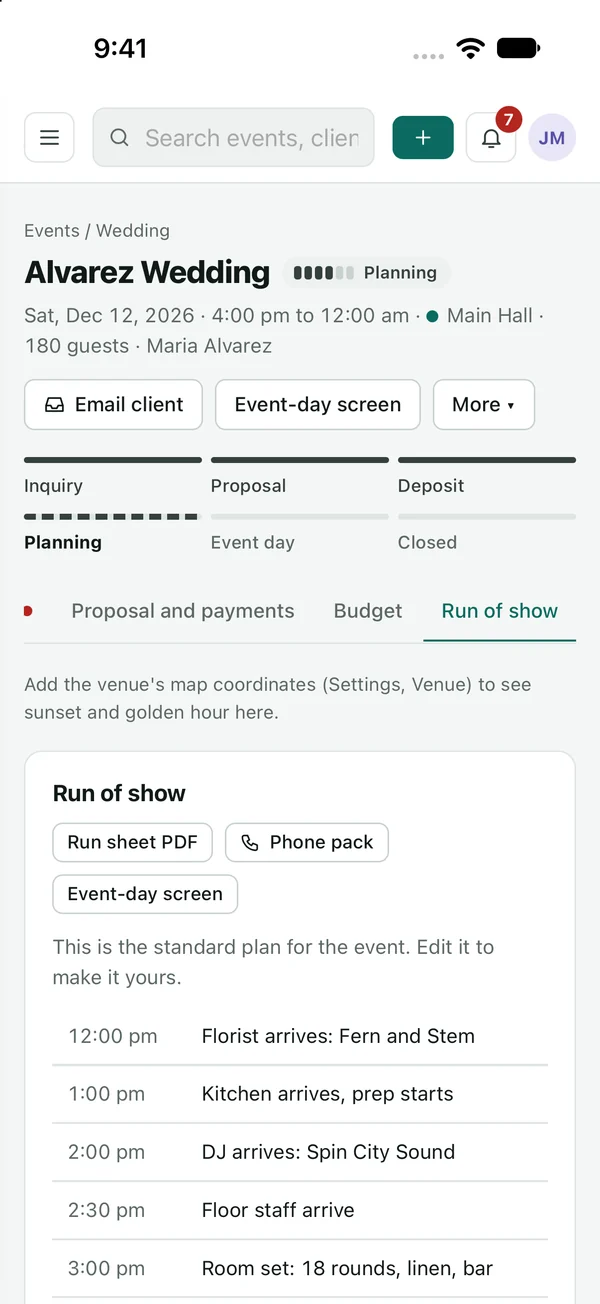
Run of show, on the day.
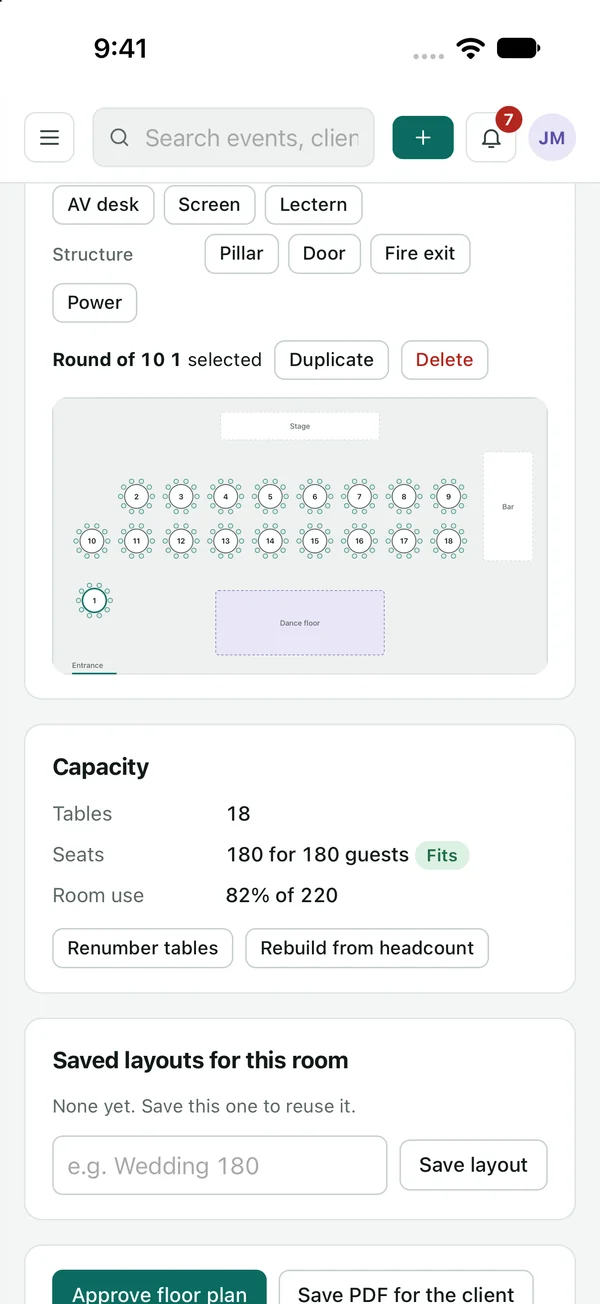
The floor plan, in hand.
Your data
No accounts
There is no VenueOS server. Events, clients and guests are saved in one file on your computer, with 14 days of automatic backups.
Sync
Keep the file in iCloud Drive and your computer, iPhone and iPad open the same data. Email goes out from your own account.
Security
An optional passcode encrypts the data file and its backups with AES-256, and locks the app when you step away.
Early access
VenueOS is being tested on real events now. If you run a venue, plan weddings or handle corporate events, tell us how you work and we will be in touch about early access.
